How to Sync Dolibarr with Leroy Merlin, Bricoman, Castorama, and Vente-unique
The problem: one catalogue, four seller back offices
You sell home decor, DIY, or furniture on Leroy Merlin, Bricoman (now Tecnomat), Castorama, or Vente-unique, and Dolibarr runs your business. Each marketplace has its own seller back office, and none of them talks to Dolibarr: a price change is copied offer by offer, a promotion is scheduled marketplace by marketplace, and every order is typed into Dolibarr again before it can be invoiced.
Stock is the riskiest part. An item sold elsewhere stays on sale everywhere until someone updates the stock. When the parcel leaves, its tracking number has to reach the right marketplace. Every manual copy is a chance to get it wrong: an order sold at a loss, a cancellation, a buyer waiting for tracking.
ERPkit makes Dolibarr the single source. You change prices, promotions, and stock in Dolibarr, and ERPkit sends them to each marketplace with a scheduled sync every 3 to 8 hours depending on your tier. Orders arrive in Dolibarr, invoices follow, and shipments go back to the marketplace.
What is different on these marketplaces
If you already know ERPkit on Shopify or PrestaShop, here is what is specific to these four marketplaces.
You sell offers, linked by their SKU
Here, the product belongs to the marketplace's catalogue, and you sell an offer on it. ERPkit updates your offers and never creates a product. Each Dolibarr product links to its offer by the SKU you gave the offer, entered in the marketplace's Offer SKU field. When your Dolibarr reference is already that SKU, the Product Mapping tab fills the field for you. And for a catalogue product you don't sell yet, the first sync creates your offer.
Prices, promotions, and their dates, from Dolibarr
ERPkit sends the selling price and the stock. A compare price above the price becomes a promotion, shown with the compare price crossed out, and its start and end dates go with it. For a sale on hundreds of products, the Pricing tab fills the promotion dates in bulk, from a CSV file or a formula, without opening a single product.
Leroy Merlin and Bricoman: one seller account, two marketplaces
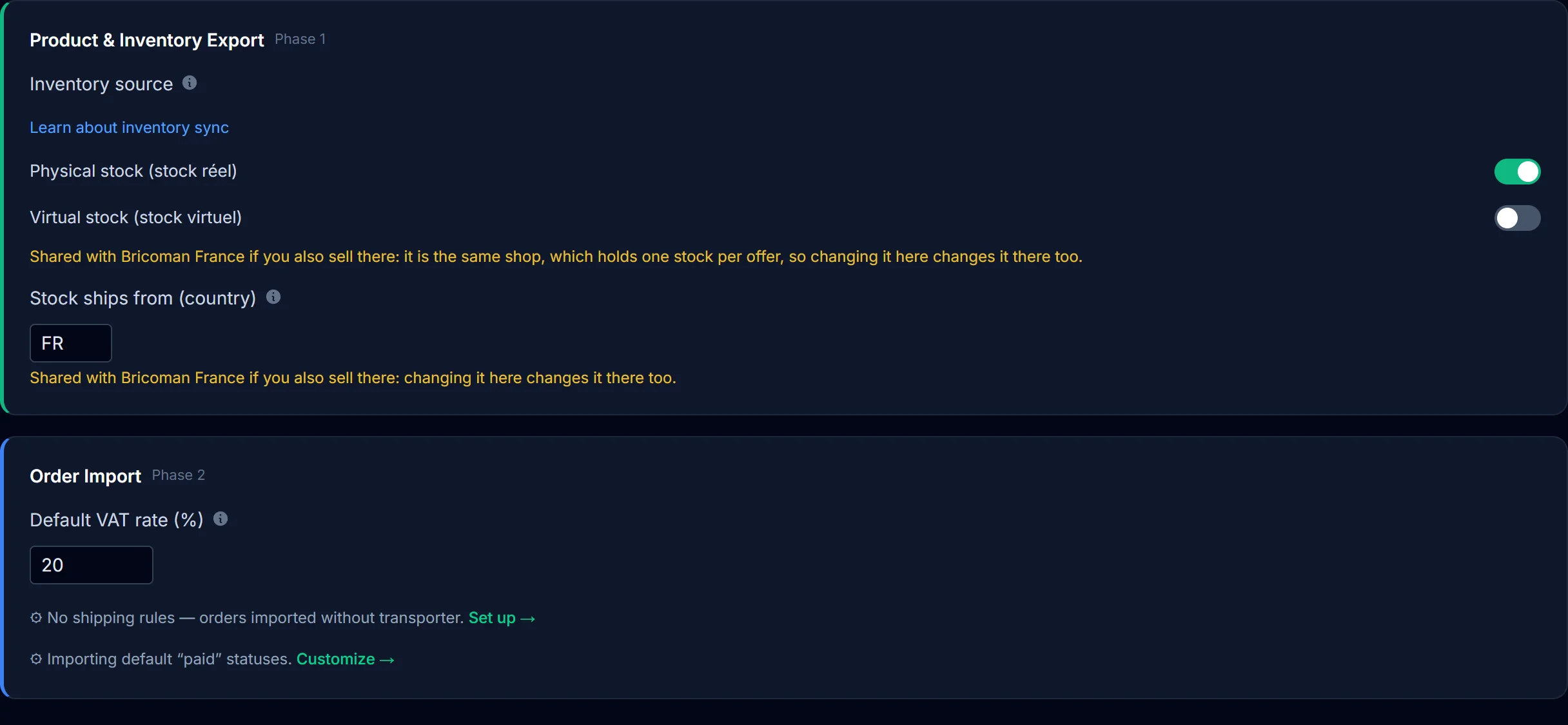
Leroy Merlin and Bricoman share one seller account and one API key. In ERPkit they are two subscriptions, each with its own prices, so the same product can sell at a different price on each. You put the same SKU in both Offer SKU fields. The stock type, the eco-participation field, and the storage country are shared: change one, and ERPkit changes the other and tells you.
Eco-participation on Leroy Merlin and Bricoman
On Leroy Merlin and Bricoman, ERPkit sends the eco-participation from the Eco-participation (FR) field of your Dolibarr products. An empty field leaves the amount already on the marketplace in place. On Castorama and Vente-unique, ERPkit leaves eco-participation alone.
VAT on Castorama orders
Castorama sends no VAT with its orders, so each line takes the VAT rate of the Dolibarr product whose reference is the offer SKU, or else your default VAT rate, with a warning. Give each product its SKU as reference and the right VAT rate, and your Castorama invoices come out right.
Orders that arrive with the right customer
On these four marketplaces, the buyer's email address changes from one order to the next. ERPkit recognizes your customers by their marketplace account instead, so a returning customer keeps one third party in Dolibarr. The marketplace order number becomes the customer reference of the Dolibarr order, and shipping arrives on its own freight line.
Shipments with tracking
When you validate a shipment in Dolibarr, ERPkit sends the tracking number and carrier, then confirms the order as shipped. Map your Dolibarr carriers to the marketplace's list in the Carrier Mapping tab, and the buyer gets a tracking link. Any other carrier goes out by name, with the number only.
Get started in four steps
Each marketplace has its own step-by-step guide: Leroy Merlin, Bricoman, Castorama, and Vente-unique. Here is the short version. Before you start, create your free account on app.erpkit.app and pick a plan for each marketplace you sell on: Solo Free needs no payment details.
Step 1: Copy your API key
In your seller back office, click your name in the top right corner, open your settings, then the API key tab, and copy the key. If a key is already there, copy it: generating a new one stops any other tool that uses the old key. Leroy Merlin and Bricoman use the same key.
Step 2: Add the marketplace in the Dolibarr module
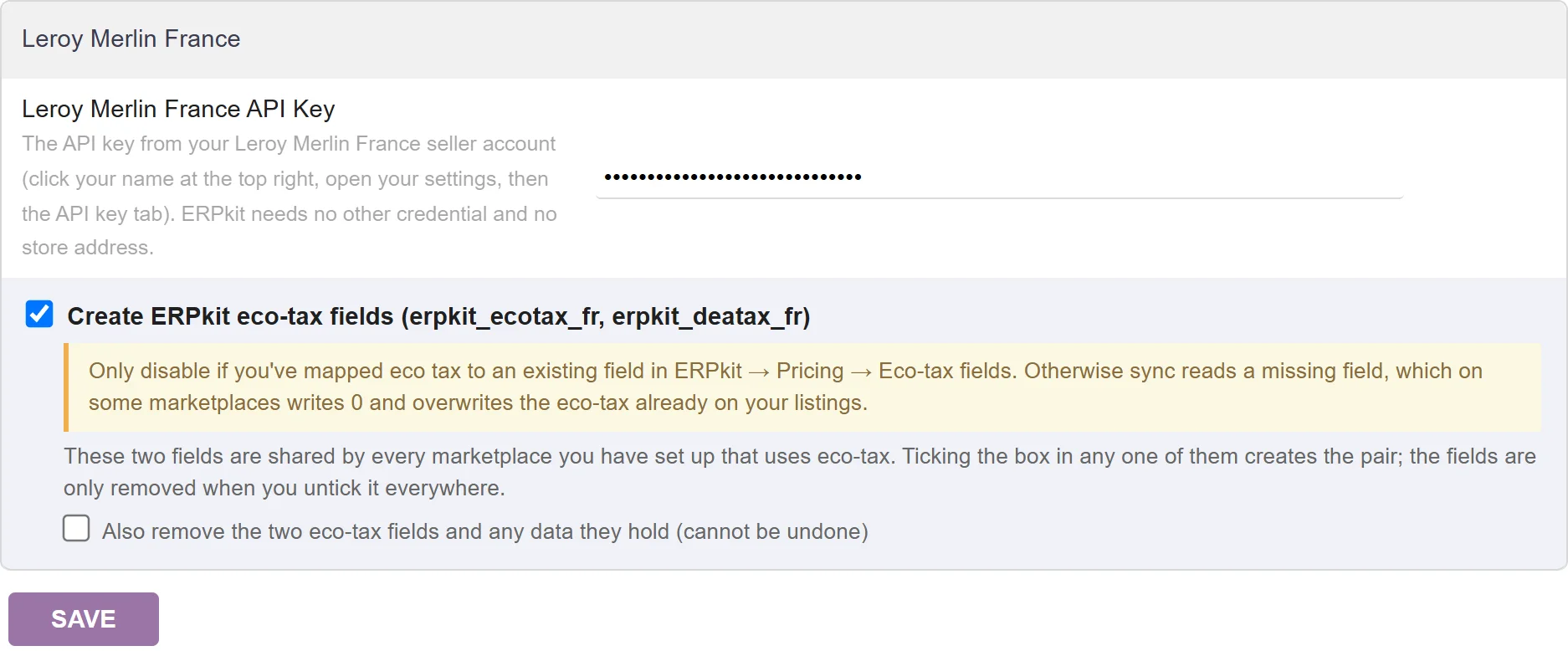
On the ERPkit Marketplace Sync page, click Download Dolibarr Module and install the module in Dolibarr, version 1.0.10 or newer (install guide). On its setup page, pick the marketplace in + Add Marketplace, for example Leroy Merlin France, paste your API key, and click Save. For Leroy Merlin and Bricoman, keep Create ERPkit eco-tax fields ticked.
Step 3: Connect ERPkit to your Dolibarr
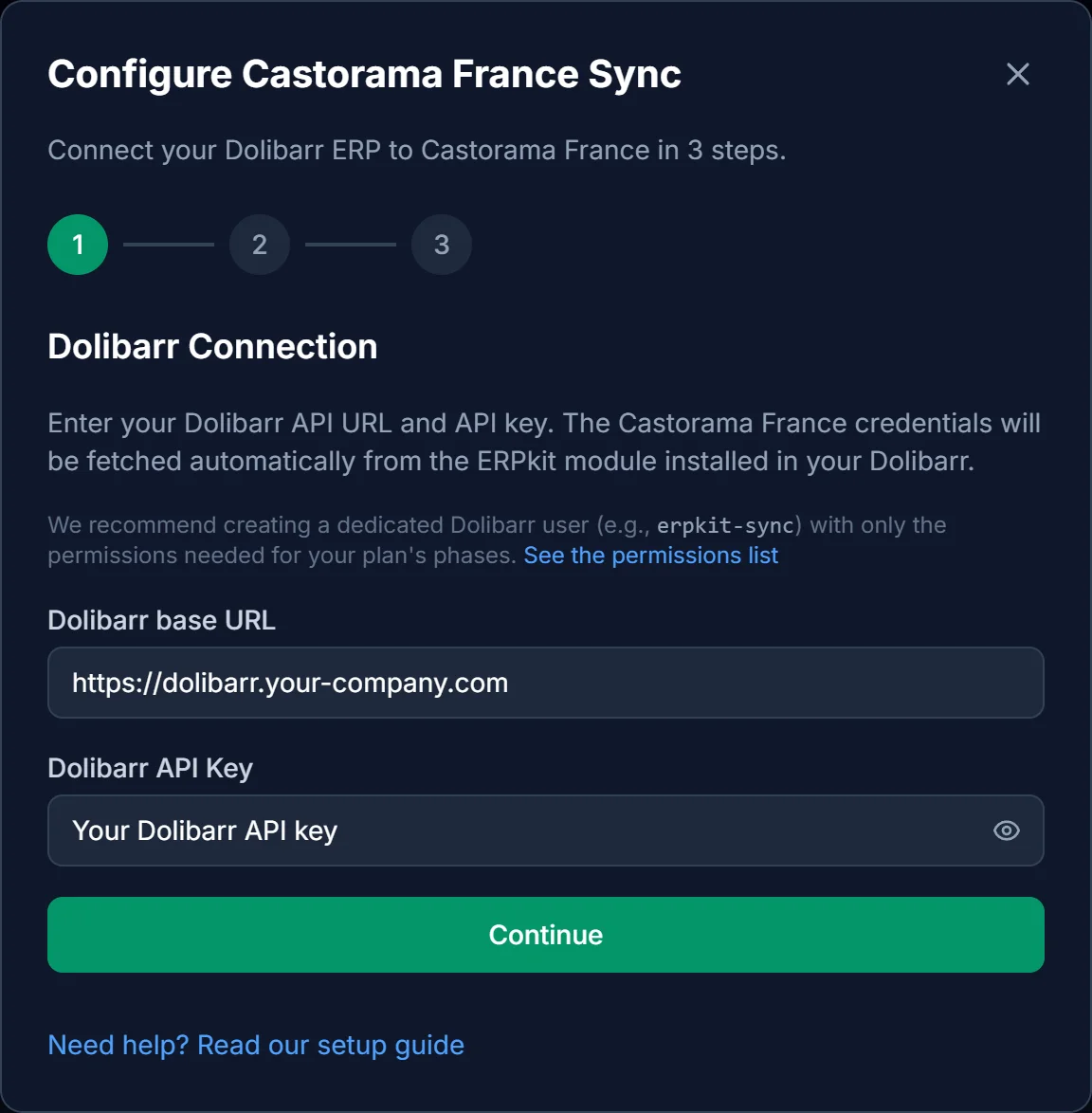
On app.erpkit.app, open the Marketplace Sync page and set up the marketplace: enter your Dolibarr base URL and API key, run Test Connections, then Activate Sync. The test also checks that your key reaches the marketplace.
Step 4: Link your products and pick your settings
On each product, fill the marketplace's Offer SKU and Price. The Product Mapping tab fills the SKU when your Dolibarr reference is that SKU, and ERPkit leaves products without these two fields alone. On Leroy Merlin and Bricoman, check the Stock ships from (country) setting before your first sync: it starts as FR and goes out with every offer.
What's next?
- Order import: orders arrive in Dolibarr as validated sales orders, with the right customer and the right products.
- Invoices: created and validated automatically from the imported orders.
- Fulfillment: tracking goes back to the marketplace at the next sync.
- Factur-X: electronic invoices in the Factur-X format (PDF/A-3 with embedded XML).
Get started free
No credit card required. The free Solo tier covers these marketplaces too, and the Dolibarr module is free and open source (GPL v3).
Get started freeFrequently Asked Questions
- Does ERPkit create my products on these marketplaces?
- No. Your products must already be in the marketplace's catalogue. ERPkit updates your offers and, for a catalogue product you don't sell yet, creates the offer at the first sync. It never touches titles, images, or product pages.
- I sell on Leroy Merlin and Bricoman: how many subscriptions do I need?
- Two. Leroy Merlin and Bricoman share a seller account and an API key, but each is its own ERPkit subscription, with its own prices.
- Is eco-participation sent?
- On Leroy Merlin and Bricoman, yes, from the Eco-participation (FR) field of your Dolibarr products. On Castorama and Vente-unique, ERPkit leaves it alone.
- How does ERPkit recognize my customers?
- By their marketplace account. On these marketplaces, the buyer's email address changes from one order to the next, so ERPkit relies on the buyer's account, and a returning customer keeps one third party in Dolibarr.
- How often does the sync run?
- ERPkit runs a scheduled sync every 3 to 8 hours depending on your tier, and you can also run it on demand. Price and stock updates go out in batches, so a sync can take a few minutes.